IAM: Users & Groups
I am a Frontend developer Having Experience for 4 years and currently working as a Senior Experience Engineer at Publicis Sapient.
IAM - Identity and Access Management, Global Service
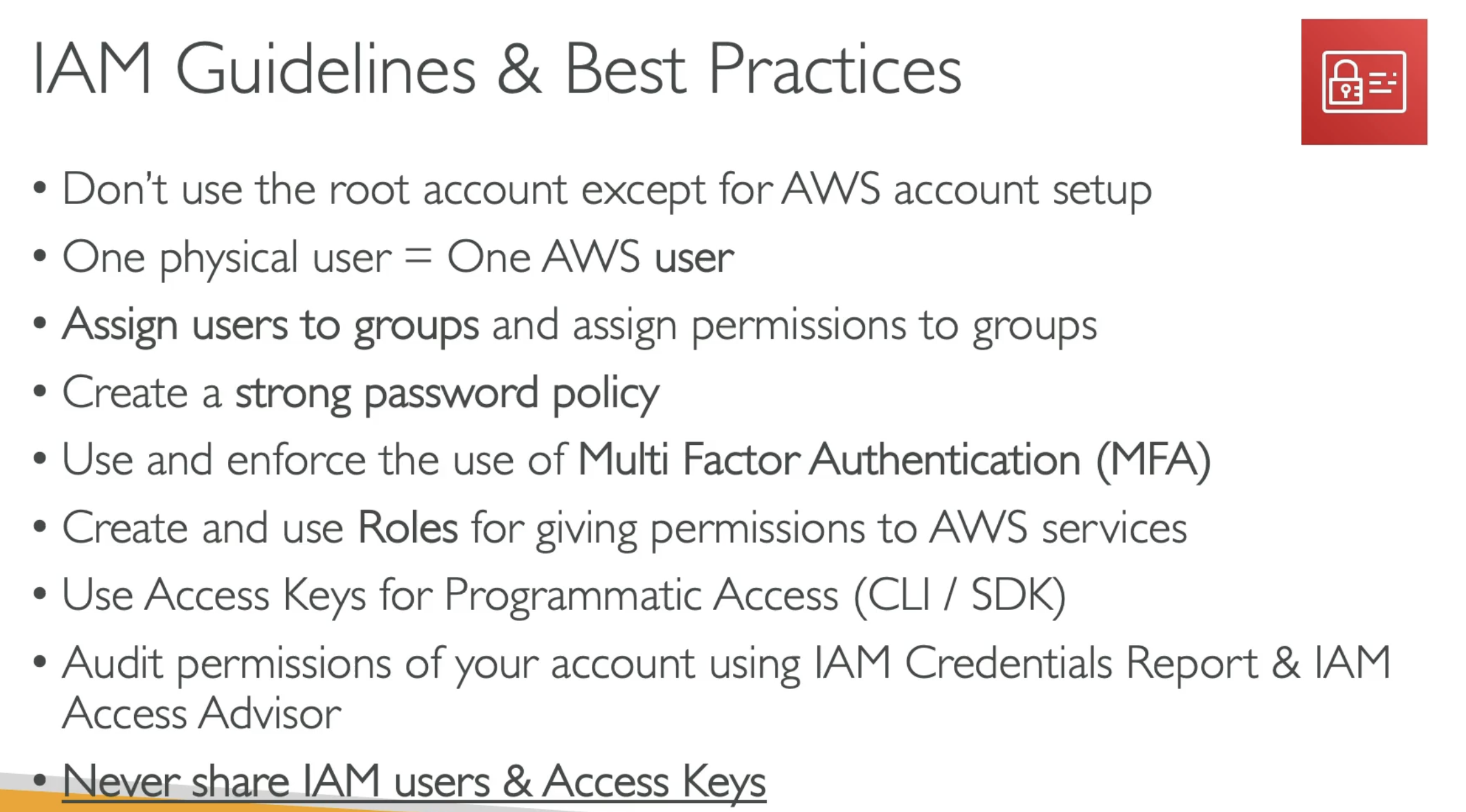
Root account created by default, should not be used or shared
Users
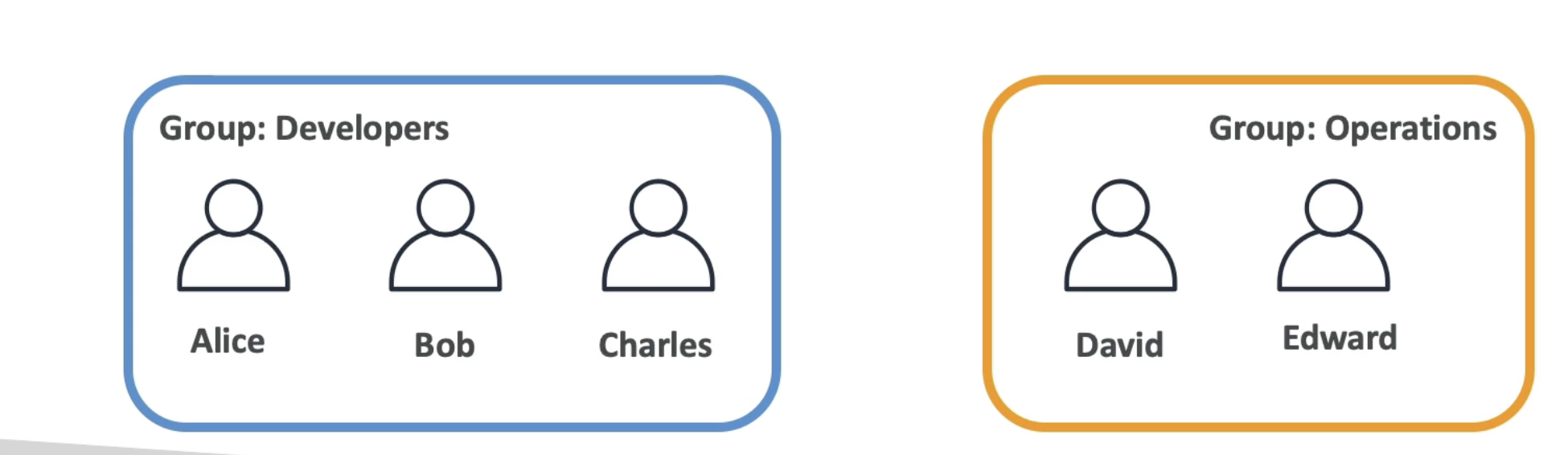
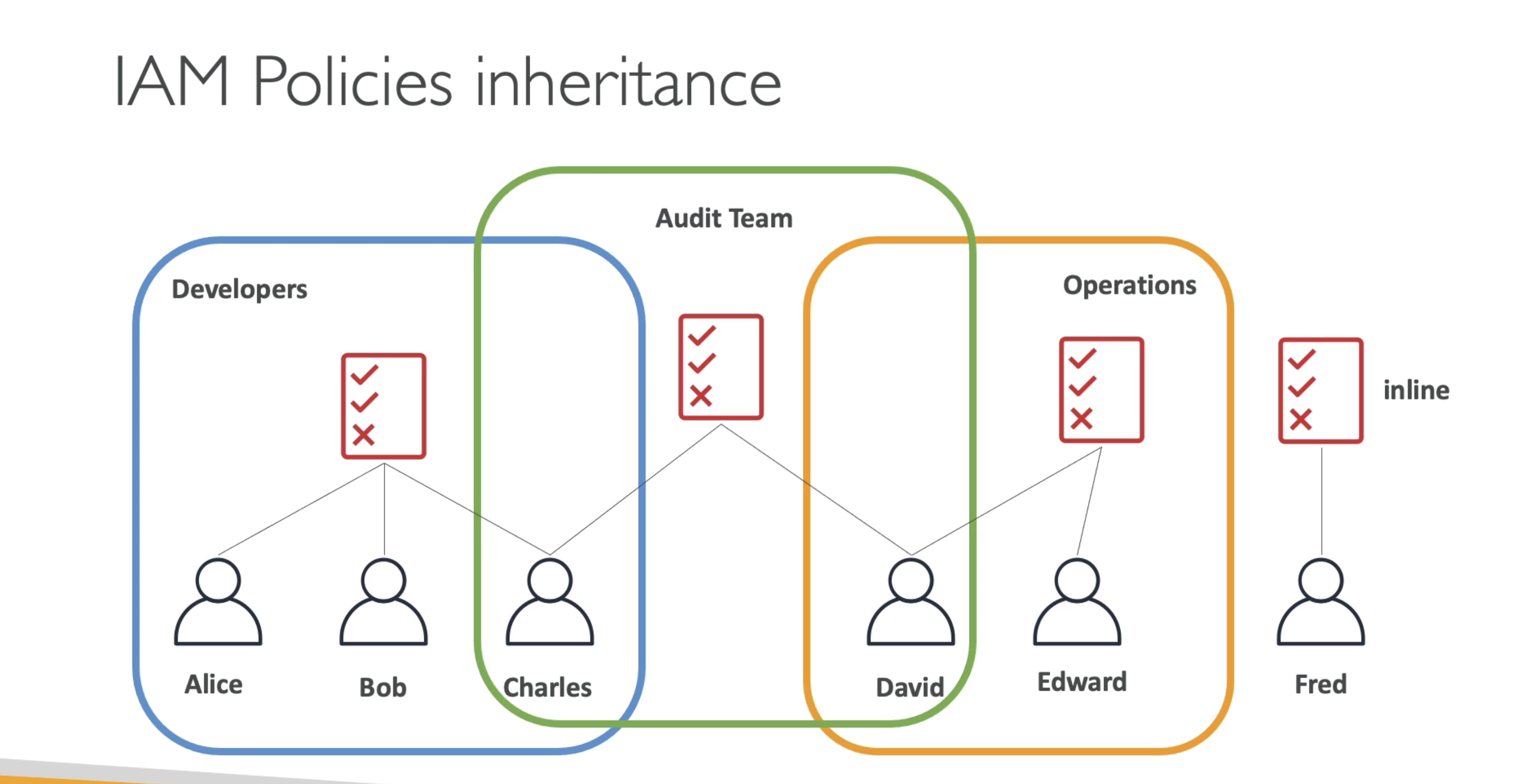
Users are people within your organization, and can be grouped
Group only contain users not other groups
Users can belong to multiple groups and can't belong to any group
it's not best practice use root account
It's global not region specific
IAM: Permissions
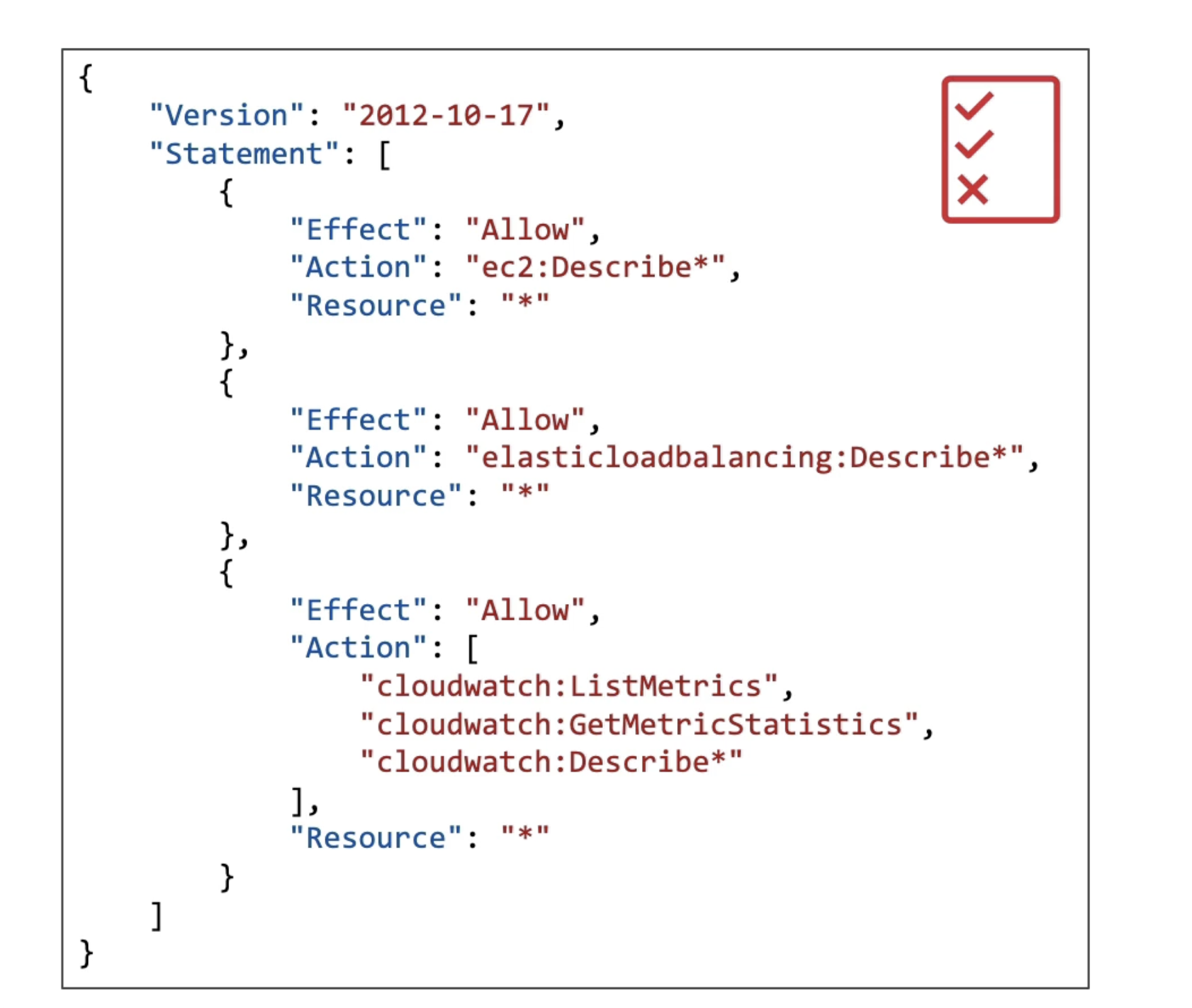
Users or Groups can be assigned JSON documents called policies
These policies define the permissions of the user
Steps to create user
Step 1
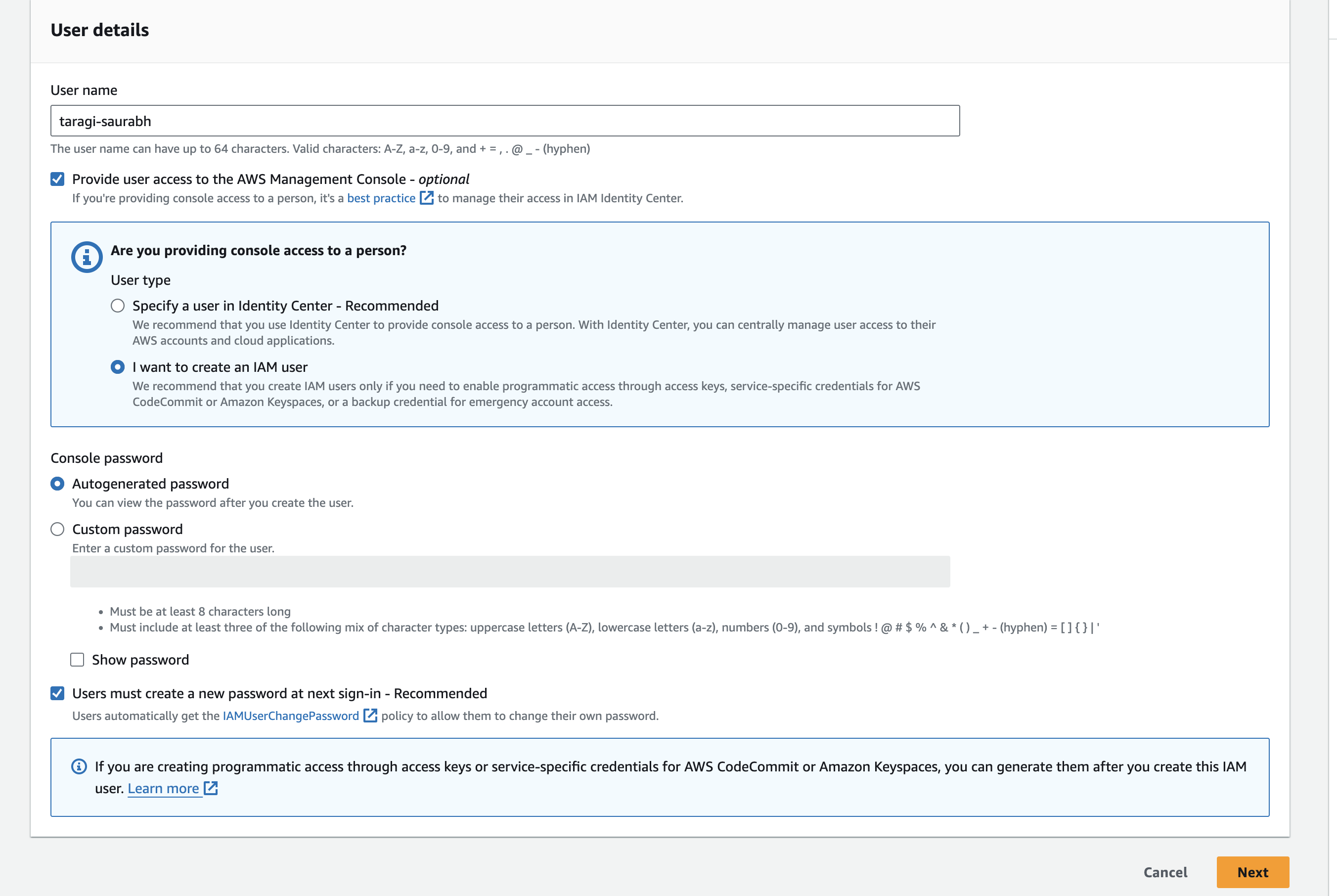
Step 2
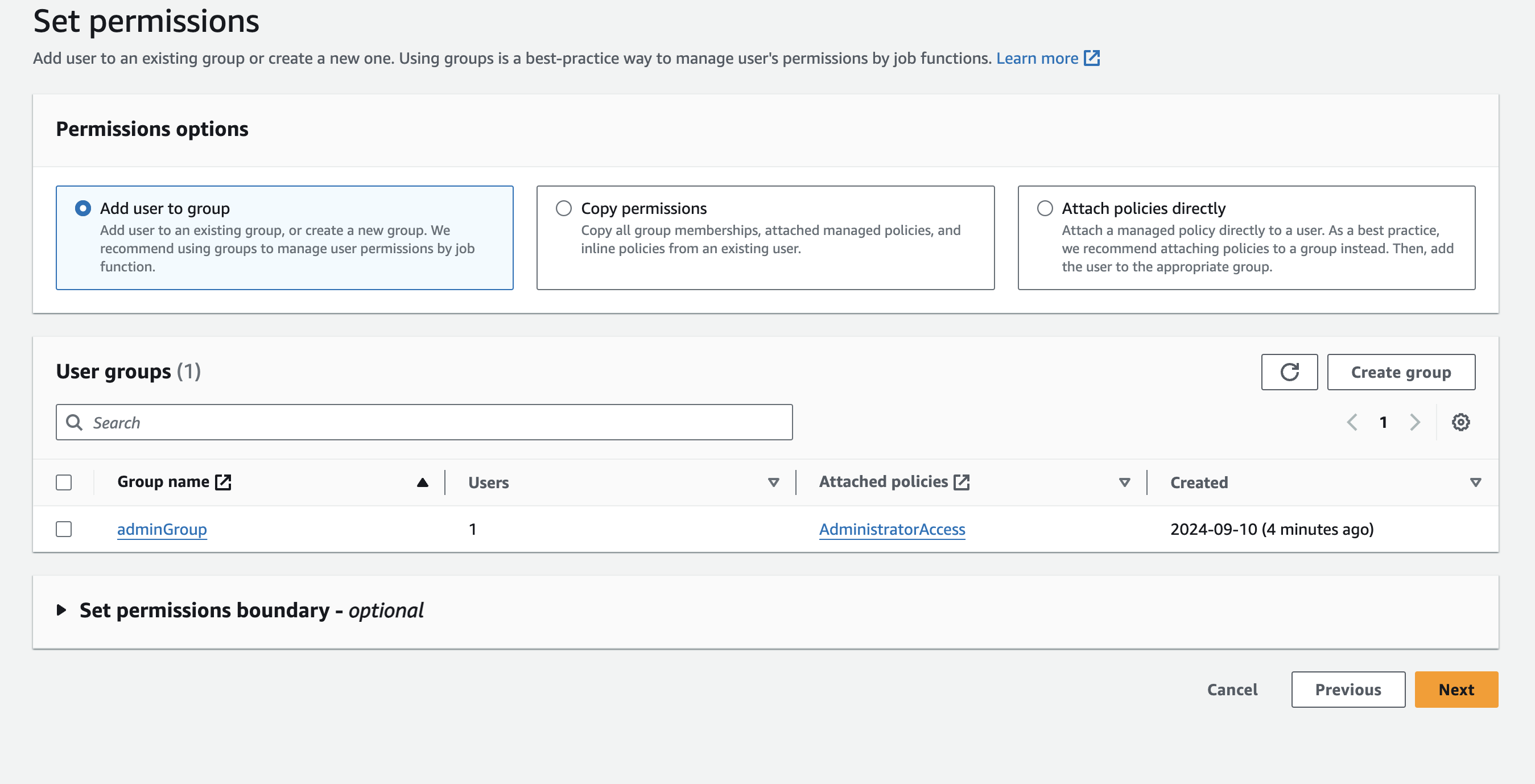
Step 3
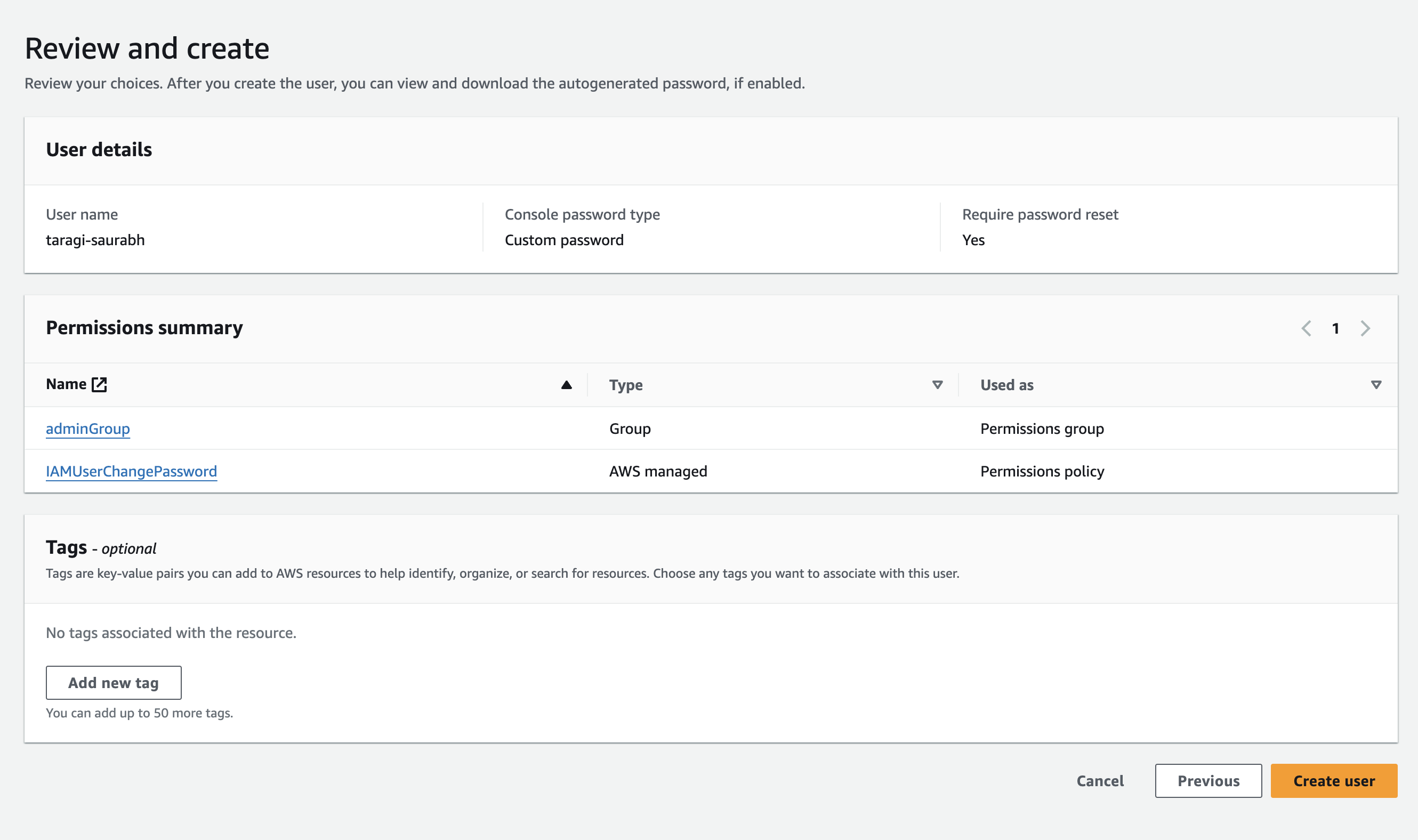
IAM policy Inheritence
If you will apply certain policy to the group it will be automatically inherited by all users of the group
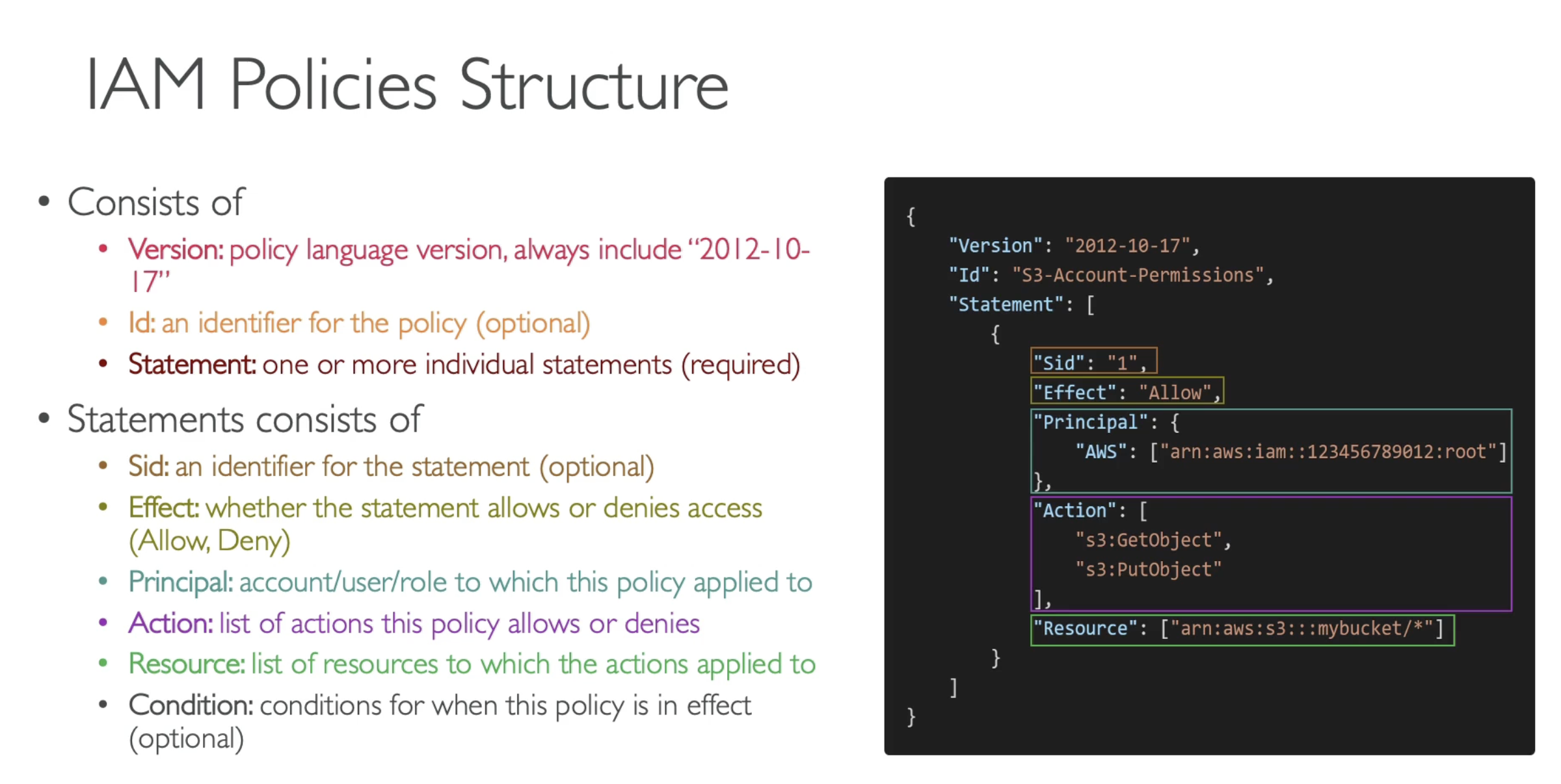
IAM Policy Structure
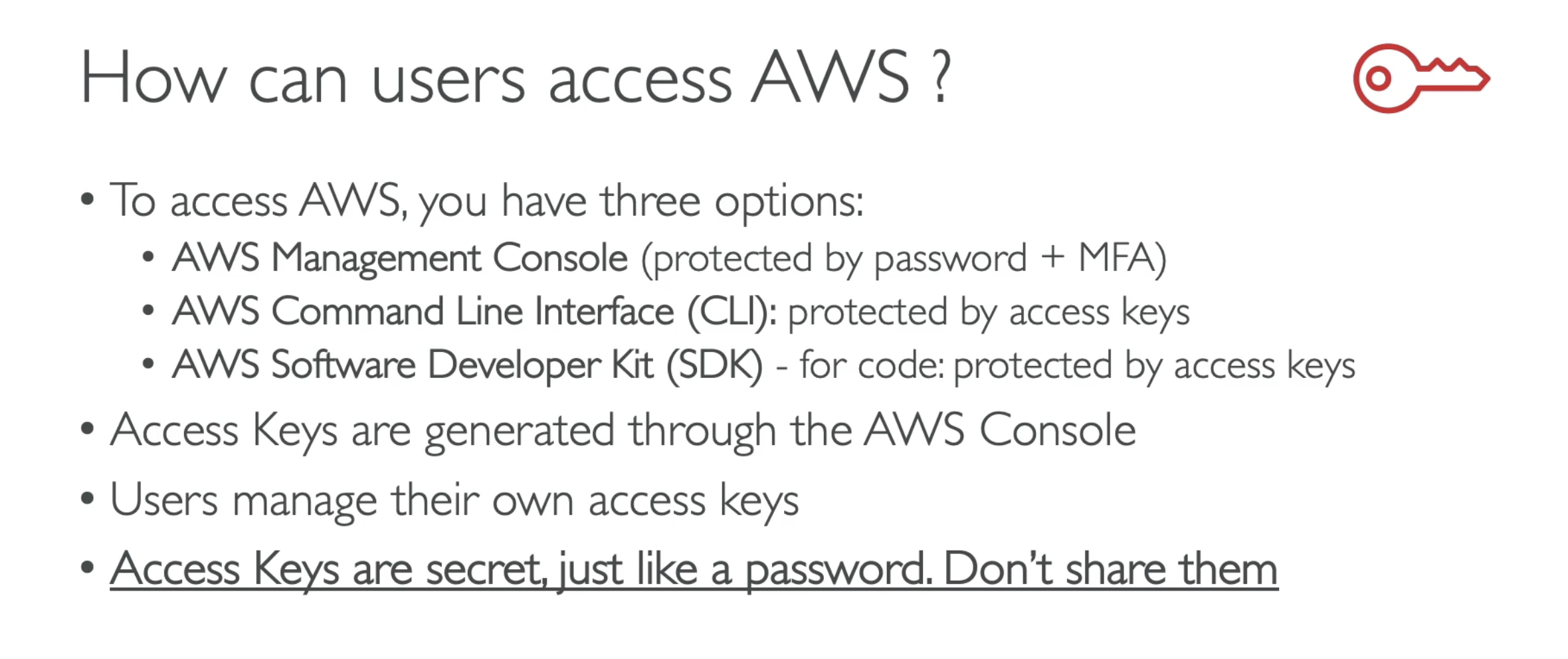
Access keys
AWS CLI
A tool that enables you to interact with AWS services using commands in your command shell.
Provides direct access to the public APIs of AWS services.
Allows you to develop scripts to manage your AWS resources.
An alternative to using the AWS Management Console.
Commands:
aws configure– Configure AWS credentials and settings.aws iam list-users– Display a list of users.
AWS SDK
The AWS Software Development Kit.
Provides language-specific APIs.
Enables you to access AWS services programmatically.
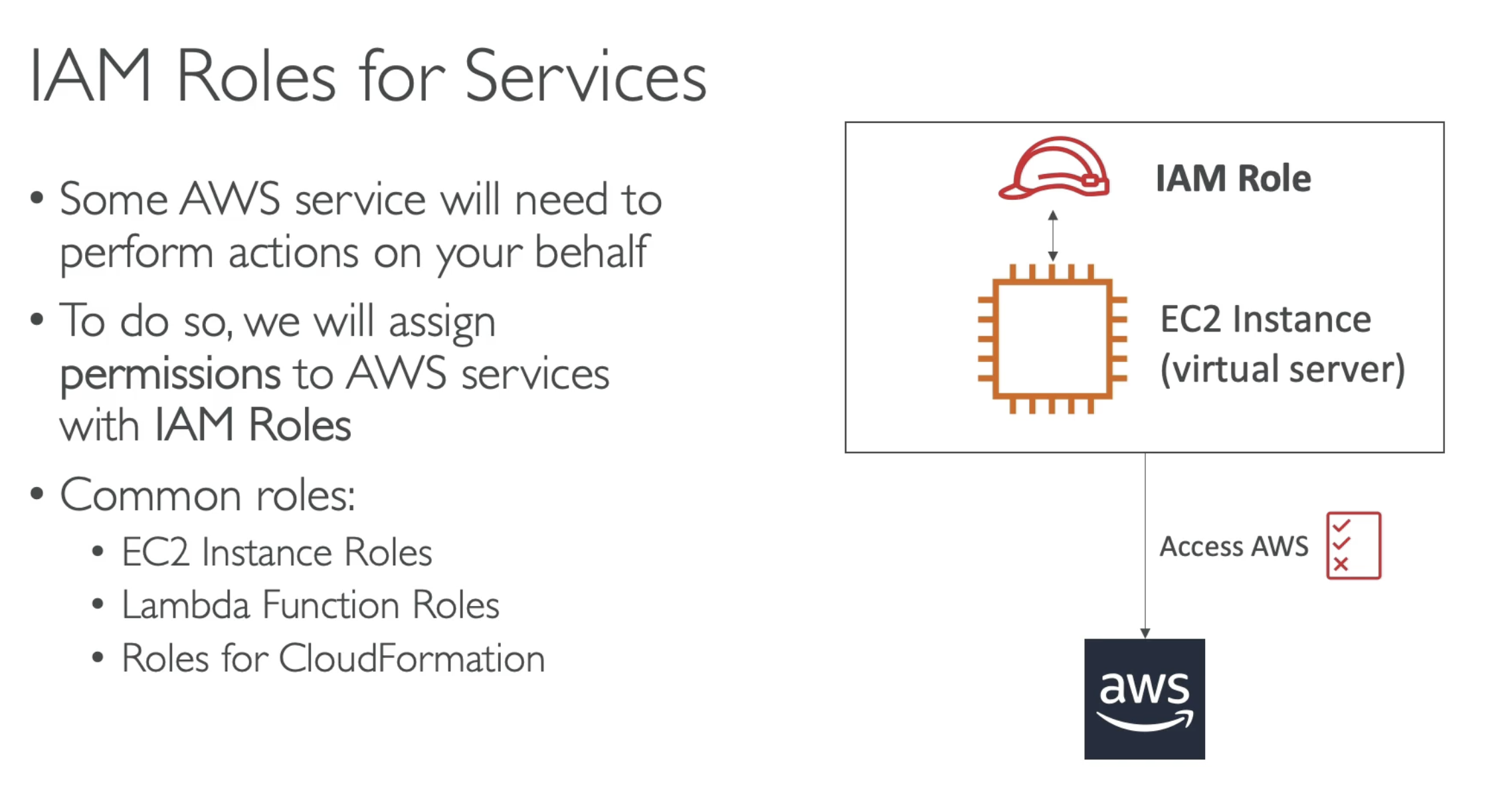
IAM Roles
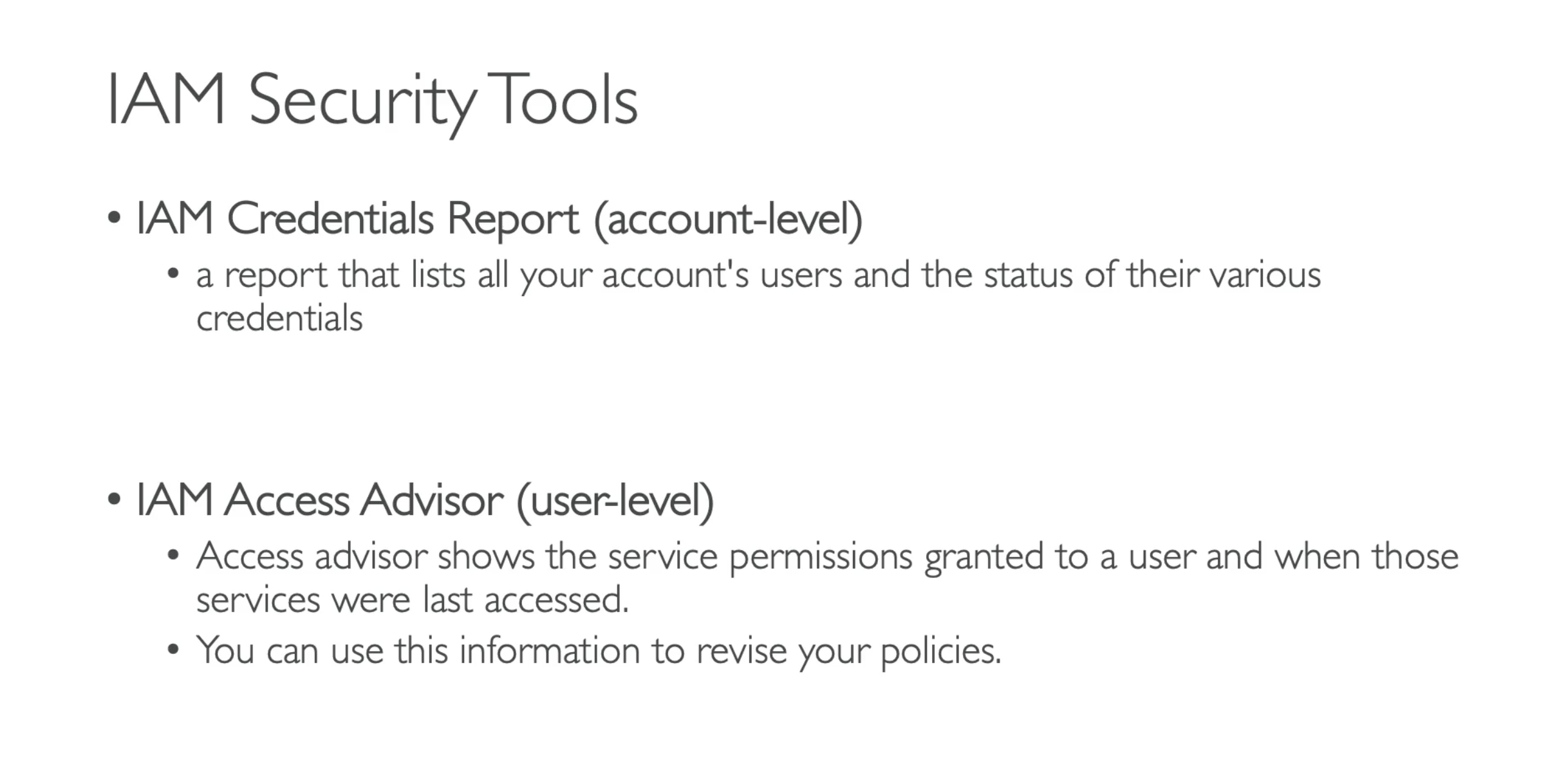
IAM Security Tools